From monitoring to enforcement. Here's how.
Verkh guides you through every step of the DMARC journey. See what's broken, understand why, fix it, move on.
DMARC Report Monitoring
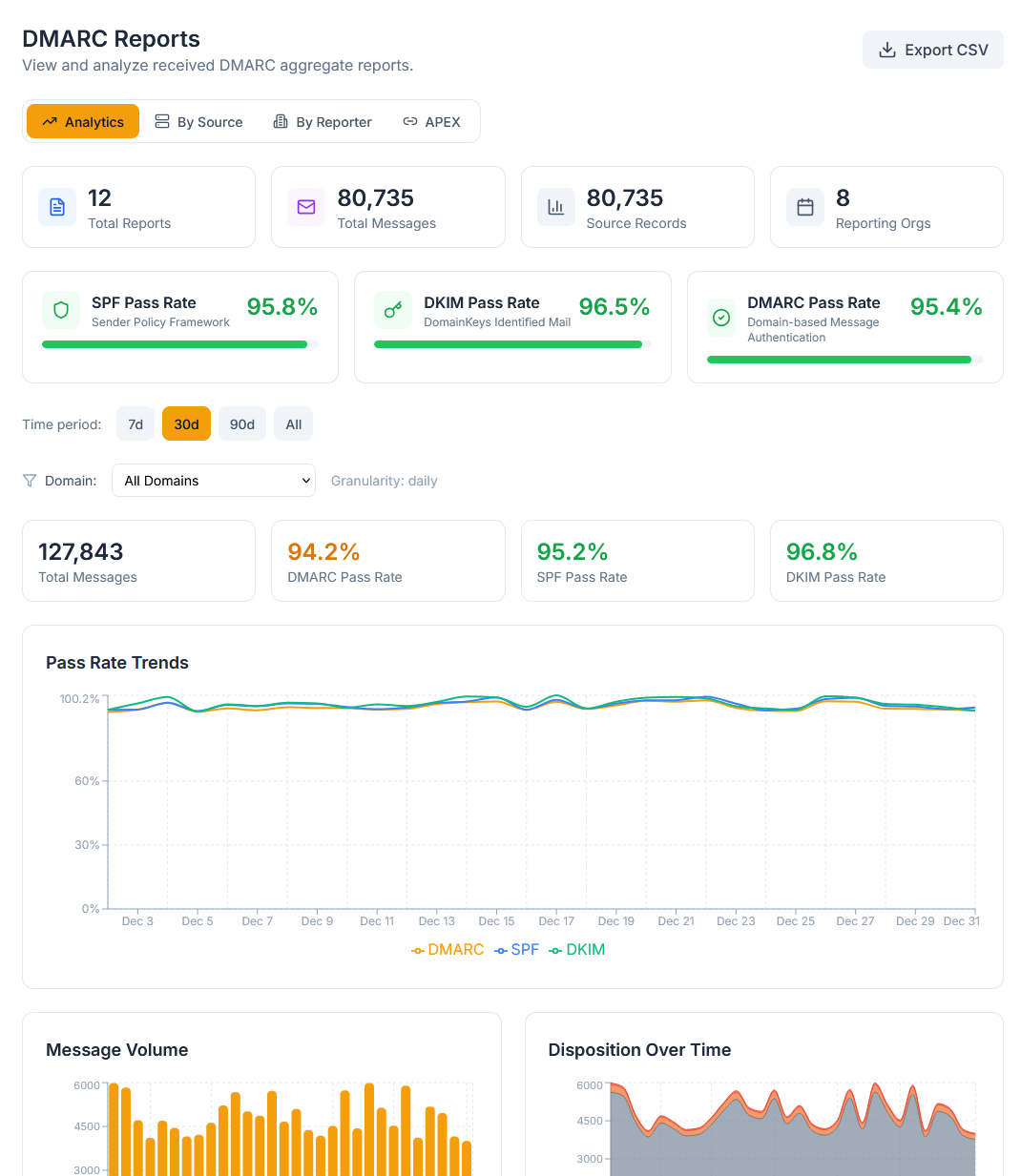
See who's sending as you.
We ingest DMARC reports from Google, Microsoft, Yahoo, and every major provider. Your dashboard shows pass rates, failure sources, and volume trends - all in plain language.
No more parsing XML. No more spreadsheets. Just clear data about who's sending email as your domain.
- Automatic report ingestion via email
- Support for all major report formats
- Real-time dashboard updates
- Historical trend analysis
DNS Validation
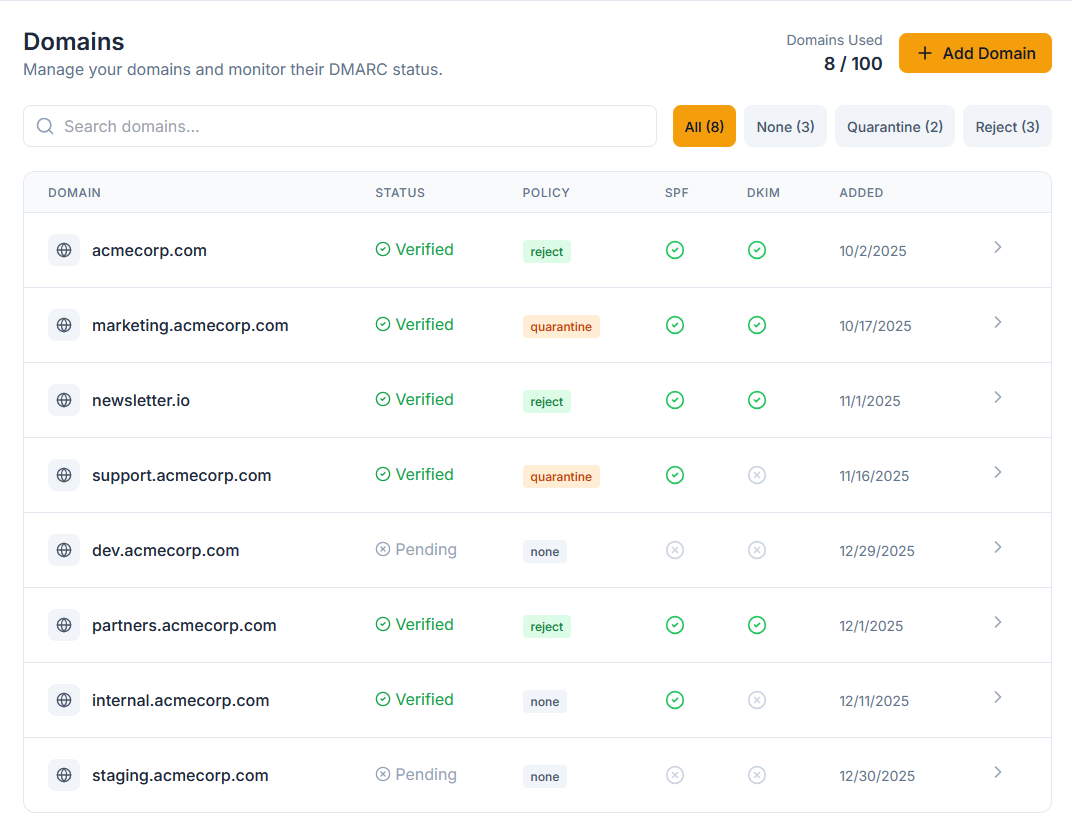
Catch misconfigurations before they break things.
Continuous monitoring of your DMARC, SPF, DKIM, and MX records. We alert you when something changes or breaks - before it affects deliverability.
DNS is the foundation of email authentication. A single typo can break everything. We watch it so you don't have to.
- Hourly DNS checks
- Change detection with diff view
- SPF lookup counting (stay under 10)
- DKIM selector validation
Sending Source Management
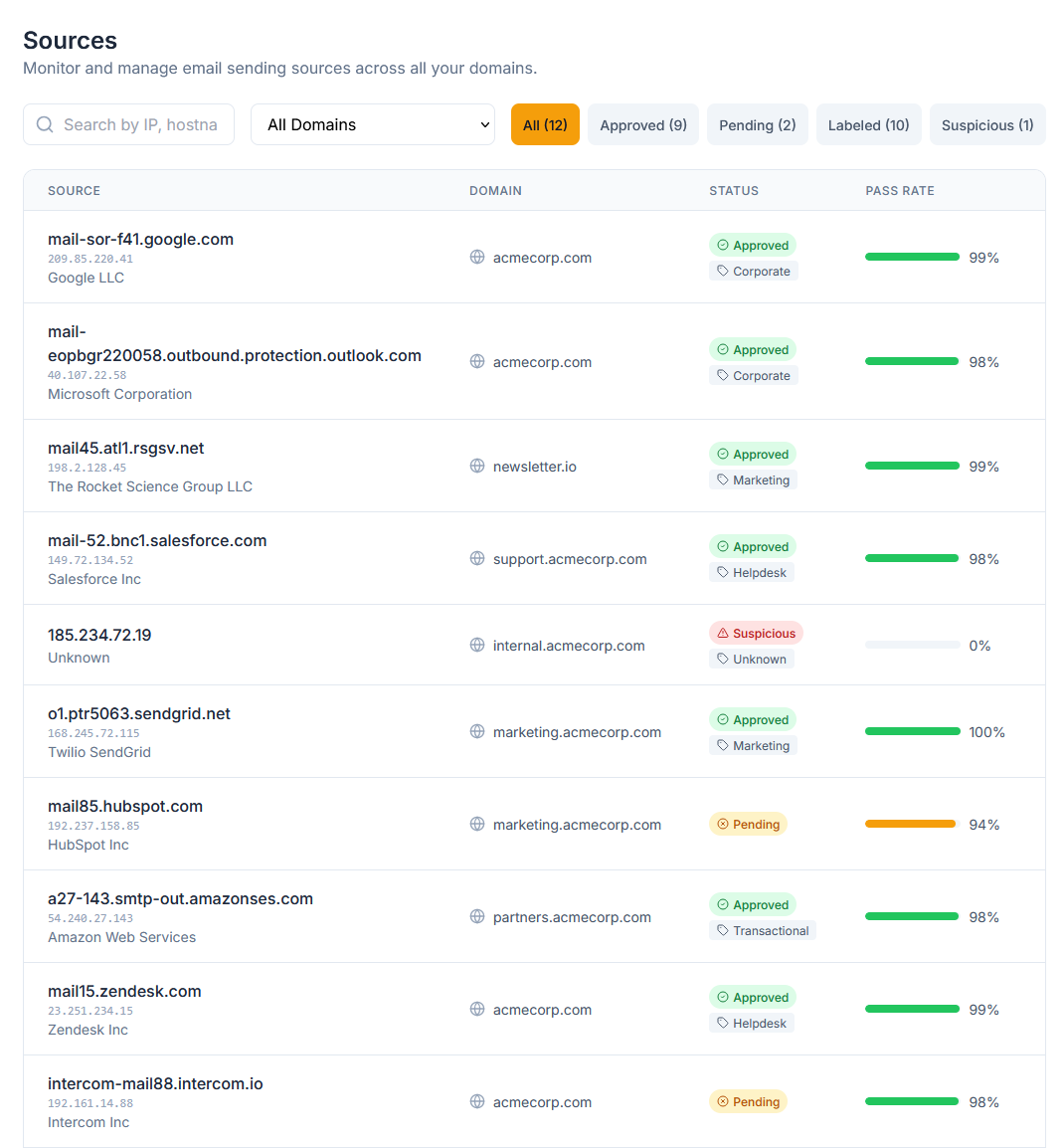
Know every service sending as you.
We auto-identify known providers - SendGrid, Mailchimp, Google Workspace, and 50+ others. Authorize legitimate senders, block the rest. Build a clean SPF record without the guesswork.
Every IP address. Every service. Every vendor. Categorized, identified, and ready for your review.
- 50+ provider auto-detection
- IP-to-provider mapping
- Authorize/block workflow
- Per-source pass rate tracking
Guided Remediation
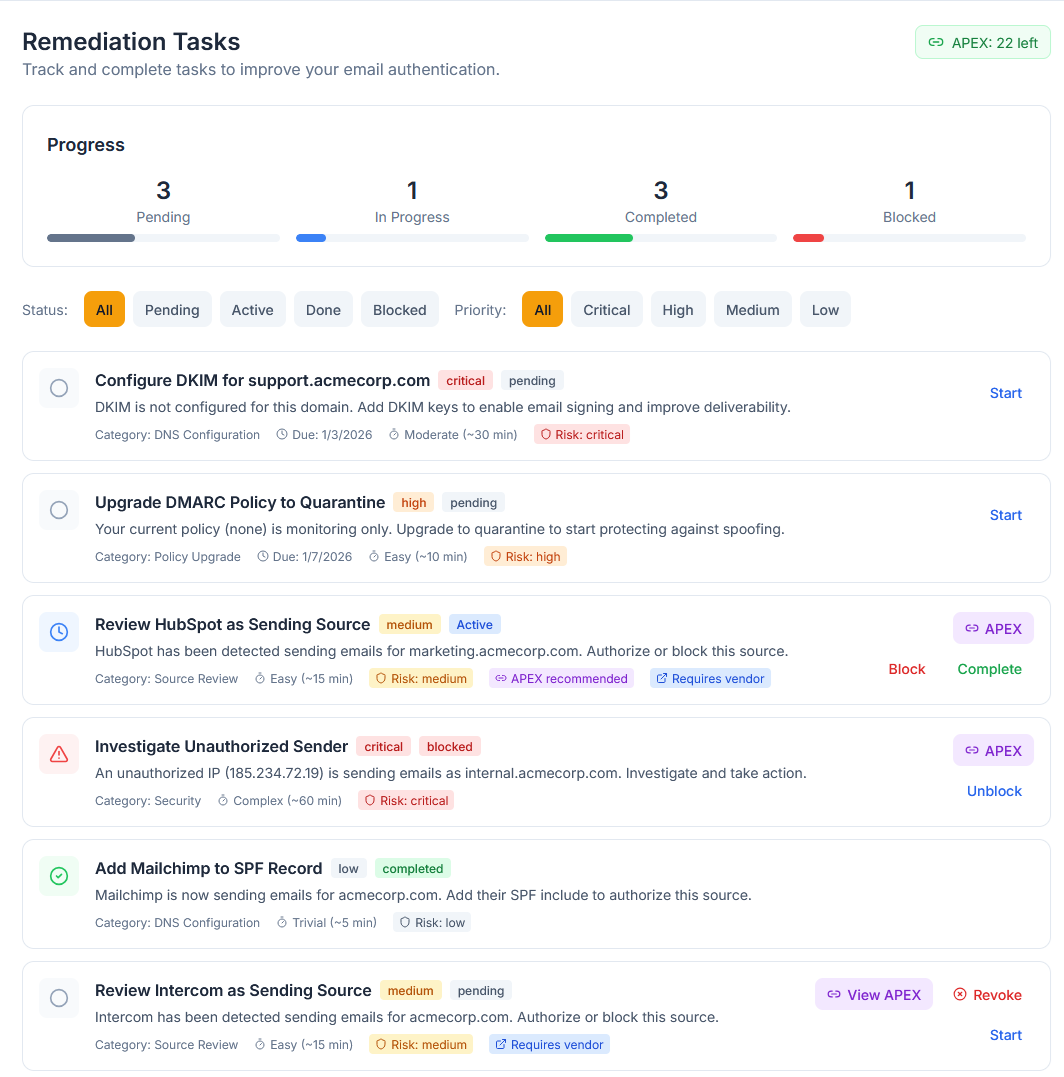
Copy-paste fixes. Not cryptic errors.
When something's broken, we don't just tell you. We give you the exact DNS record to add, the exact steps to follow, and plain-language explanations of why it matters.
"SPF permerror" becomes "Your SPF record has too many lookups. Here's a shorter version that does the same thing."
- Step-by-step fix instructions
- Copy-paste DNS records
- Priority-ranked task list
- Progress tracking
Policy Progression
Know when you're ready for the next step.
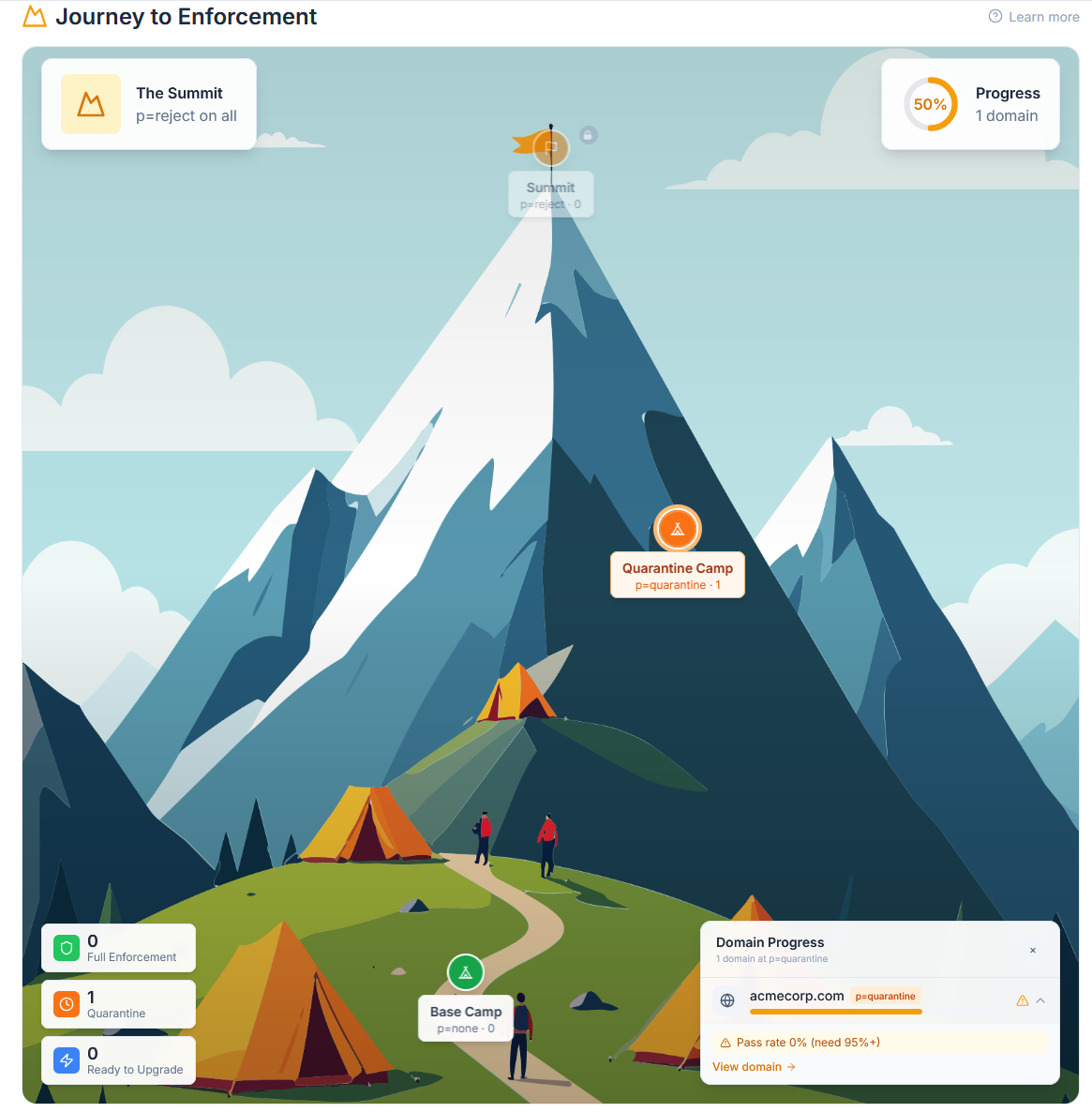
Moving from p=none to p=quarantine to p=reject is scary. We tell you exactly when you're ready, what the risks are, and what to watch for after you make the change.
No guessing. No hoping. Just data-driven confidence that you're ready to enforce.
- Readiness indicators for each policy level
- Risk assessment before changes
- Post-change monitoring alerts
- Milestone celebrations
Your vendors don't understand DMARC.
Now they don't have to.
The Problem
Reaching enforcement means every vendor sending as you needs to authenticate correctly. But most vendor support teams don't know DMARC from DNS. You send them logs, they send you in circles. Read our vendor coordination guide.
The Solution
Verkh generates vendor-ready reports and shareable dashboards that explain the problem in terms support reps understand. Include the evidence they need, the steps they should follow, and links to their own documentation.
What's Included
Source identification (IP, ASN, provider name)
Authentication failure evidence (SPF/DKIM/DMARC results)
Plain-language explanation for non-technical support
Step-by-step remediation instructions
Links to vendor's own SPF/DKIM setup docs
View tracking (Enterprise) so you know when they looked
PDF Reports vs. Live Dashboards
PDF Reports (Pro)
- Static, point-in-time snapshots
- Gets lost in email threads
- Requires resending when data changes
- No view tracking
Live Dashboards (Enterprise)
- Live data, always current
- One link, vendor bookmarks it
- Links never expire
- View analytics included
Alerting
Know the moment something goes wrong.
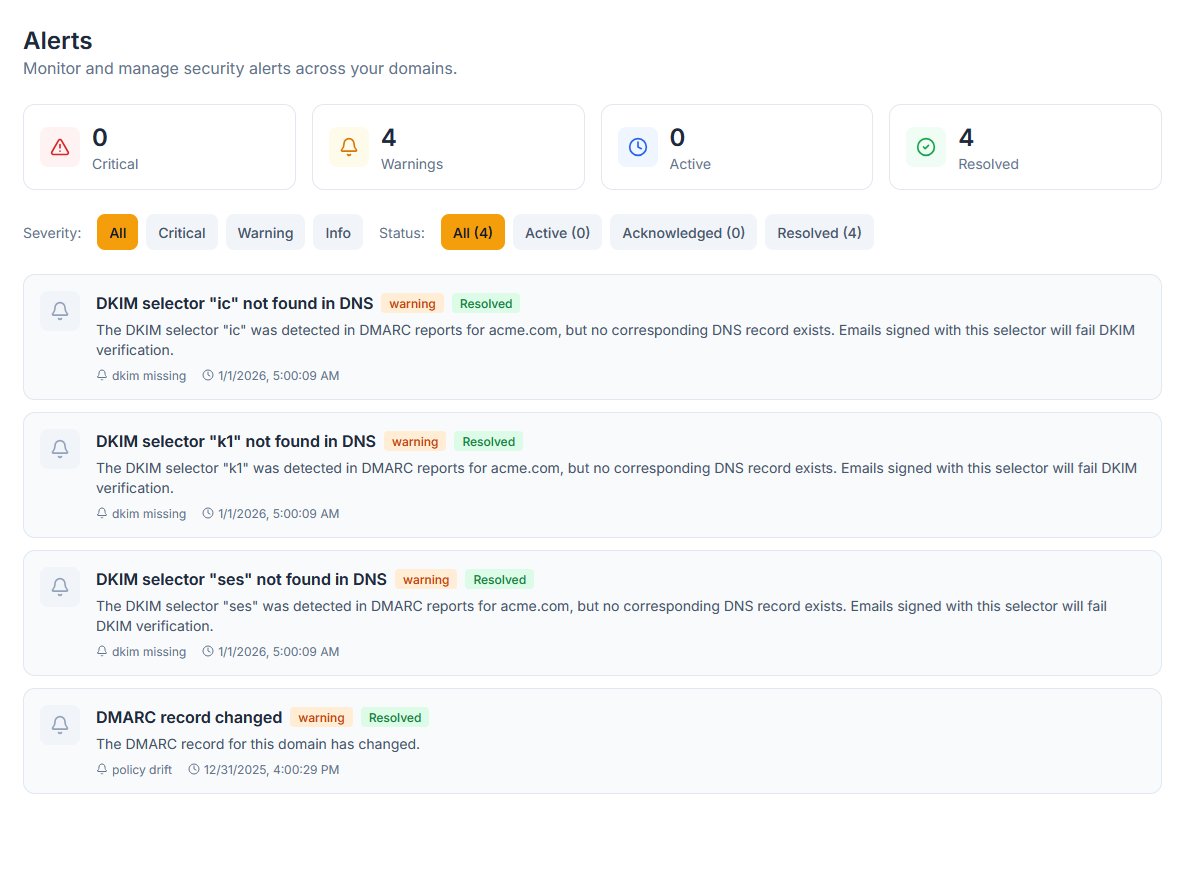
New unauthorized sender? Sudden failure spike? DNS record changed? We catch it and tell you - with context on what to do next. Learn how to interpret DMARC reports.
Not just "something broke." We tell you what broke, why it matters, and how to fix it.
Security
- OAuth authentication (Google, GitHub)
- Role-based access control
- Audit logging
- Data encryption at rest
Scale
- Built on Cloudflare's edge
- Sub-100ms response times
- 99.99% uptime SLA
- Handles millions of reports
Integration
- Works with any email provider
- No DNS changes required to start
- API access (Enterprise)
- Webhook notifications
Team
- Multi-user support
- Role-based permissions
- Workspaces for organization
- Activity audit trail
See your authentication status in 60 seconds.
No credit card. No sales call. Just connect your domain and see what's happening. Have questions? Get in touch.
Start Free