How to Ensure Your Emails Are Authenticated and Reach the Inbox
A practical guide to setting up SPF, DKIM, and DMARC so your emails actually get delivered. No fluff, just the steps that matter.
How to Ensure Your Emails Are Authenticated and Reach the Inbox
Email authentication isn’t complicated in theory. You set up SPF to say who can send as your domain. You configure DKIM to cryptographically sign your messages. You publish a DMARC policy to tell receivers what to do when authentication fails. Done right, your emails reach inboxes. Done wrong, they don’t.
The challenge is that “done right” involves more moving parts than most people expect. Every service that sends email on your behalf needs to be accounted for. Every DNS record needs correct syntax. And rushing to enforcement before you’ve sorted out the details will break legitimate email delivery.
This guide walks through how to get your authentication working properly so your emails actually arrive where they’re supposed to.
Why Authentication Directly Affects Deliverability
Mailbox providers like Gmail, Yahoo, and Microsoft use authentication as a primary signal for filtering decisions. When an email arrives claiming to be from your domain, the receiving server checks:
- Does the sending IP have permission to send for this domain? (SPF)
- Is the message cryptographically signed by this domain? (DKIM)
- What should we do if these checks fail? (DMARC)
If you pass these checks, you’ve cleared the first hurdle. You’re not automatically in the inbox, but you’re in the running. If you fail, you’re starting from a deficit that’s hard to overcome with good content or clever subject lines.
The math is straightforward. Domains with properly configured authentication see inbox placement rates significantly higher than unauthenticated senders. Not because authentication is magic, but because it’s table stakes. Providers assume that legitimate senders take the time to set this up correctly.
The Authentication Stack: SPF, DKIM, and DMARC
These three protocols work together. Each handles a different aspect of proving your emails are legitimate.
SPF: Who’s Allowed to Send
SPF (Sender Policy Framework) publishes a list of IP addresses and services authorized to send email for your domain. It lives in a TXT record at your domain’s root.
A typical SPF record looks like this:
v=spf1 include:_spf.google.com include:sendgrid.net -allThis says: Google Workspace and SendGrid can send as my domain. Everyone else should be rejected.
The most common SPF problems:
- Missing includes: You added a new email service but forgot to update SPF
- Too many DNS lookups: SPF allows a maximum of 10 DNS lookups, and complex records hit this limit
- Using ~all instead of -all: Soft fail (~all) is weaker than hard fail (-all) and provides less protection
Check your current SPF configuration with our SPF checker to see if there are issues.
DKIM: Cryptographic Proof
DKIM (DomainKeys Identified Mail) attaches a digital signature to each email. The receiving server verifies this signature against a public key published in your DNS. If the signature is valid, the email hasn’t been tampered with in transit.
DKIM records are published at selector._domainkey.yourdomain.com. Each email service typically uses its own selector. Google Workspace might use google, SendGrid might use s1 or s2.
Common DKIM issues:
- Missing selectors: Each sending service needs its own DKIM record published
- Key rotation problems: When services rotate keys, you need to update DNS
- Alignment failures: The DKIM signing domain must match (or be a subdomain of) your From address
Verify your DKIM setup with our DKIM checker.
DMARC: The Policy Layer
DMARC (Domain-based Message Authentication, Reporting, and Conformance) ties SPF and DKIM together. It tells receivers what to do when authentication fails and provides reporting so you can see what’s happening with email sent as your domain.
A DMARC record lives at _dmarc.yourdomain.com:
v=DMARC1; p=none; rua=mailto:[email protected]The policy options are:
- p=none: Monitor only. Collect reports but don’t affect delivery.
- p=quarantine: Send failing emails to spam.
- p=reject: Block failing emails entirely.
Check your DMARC configuration with our DMARC checker.
The Right Sequence: Monitor Before You Enforce
Here’s where most authentication projects go wrong. Someone reads that DMARC enforcement is important, sets p=reject immediately, and breaks half their organization’s email.
The correct approach is phased:
Phase 1: Audit your sending sources
Before touching DNS, inventory everything that sends email as your domain:
- Marketing automation (Mailchimp, HubSpot, Marketo)
- Transactional email (SendGrid, Postmark, Amazon SES)
- CRM systems (Salesforce, HubSpot)
- Support platforms (Zendesk, Intercom, Freshdesk)
- Internal systems (invoicing, alerts, notifications)
- Calendar invites and shared mailboxes
Miss one of these, and enforcement will block legitimate emails.
Phase 2: Configure SPF and DKIM for all sources
Update your SPF record to include every legitimate sender. Configure DKIM for each service that supports it. Most modern email services provide documentation for this.
Phase 3: Start DMARC at p=none
Publish a DMARC record with p=none and a reporting address. This collects data without affecting delivery. You’ll start receiving aggregate reports showing authentication results for all email claiming to be from your domain.
Phase 4: Analyze and fix
Review your DMARC reports. Look for:
- Legitimate services failing SPF (add them to your record)
- Missing DKIM signatures (configure DKIM for those services)
- Unknown senders (investigate whether they’re legitimate or spoofing)
This phase takes time. Expect 2-4 weeks minimum to get a complete picture.
Phase 5: Move to enforcement
Once your reports show high pass rates for legitimate email, progress to p=quarantine. Monitor for delivery problems. If everything looks good after another few weeks, move to p=reject.
Common Mistakes That Hurt Deliverability
Even with authentication in place, these issues can undermine inbox placement:
Inconsistent sending patterns
Sending nothing for weeks, then blasting a large campaign, looks suspicious. Mailbox providers prefer consistent, predictable volume. If you’re warming a new domain or IP, ramp up gradually over 4-8 weeks.
Ignoring engagement signals
Authentication gets you past the first filter. Engagement determines what happens next. If recipients consistently ignore, delete, or mark your emails as spam, your reputation suffers regardless of authentication status.
Misaligned domains
DMARC requires alignment between your From address and the domain authenticated by SPF or DKIM. If your marketing platform sends from mail.provider.com but your From address shows yourdomain.com, authentication might pass but alignment fails.
Stale DNS records
Email infrastructure changes. Services update their sending IPs. DKIM keys rotate. An SPF record that worked last year might be missing critical includes today. Check your records periodically, not just when problems arise.
Ongoing Monitoring
Authentication isn’t set-and-forget. Build these habits:
Review DMARC reports regularly
New unauthorized senders, configuration drift, and alignment problems all show up in reports. Monthly review at minimum. Weekly is better.
Check DNS after any changes
Adding a new email service? Verify SPF and DKIM are updated before you start sending. Use our email authentication checker to validate everything at once.
Monitor deliverability metrics
Track inbox placement, bounce rates, and spam complaints. A sudden change often indicates an authentication or reputation problem.
Keep an inventory of sending services
Document every service authorized to send as your domain. When someone asks to add a new tool, you’ll know exactly what needs updating.
Getting Started
If you’re not sure where your authentication stands, start with an audit. Check your SPF, DKIM, and DMARC records to see what’s configured and what’s missing.
For a complete picture, our email authentication checker validates all three protocols at once and shows you where the gaps are.
Authentication takes some effort to set up correctly, but once it’s working, your emails have a much better chance of reaching the inbox. And if you’re working toward DMARC enforcement, you’re not just improving deliverability—you’re protecting your domain from being spoofed in phishing attacks. Both outcomes are worth the investment.
Related Articles
January 2026
5 Key Benefits of Adopting an Email Authentication Platform Today
Why SPF, DKIM, and DMARC matter for security, deliverability, and brand protection. A practical guide for businesses of all sizes.
March 2026
How to Set Up DMARC for Klaviyo
Step-by-step guide to configuring SPF, DKIM, and DMARC for Klaviyo email marketing. Includes DNS records and troubleshooting.
December 2025
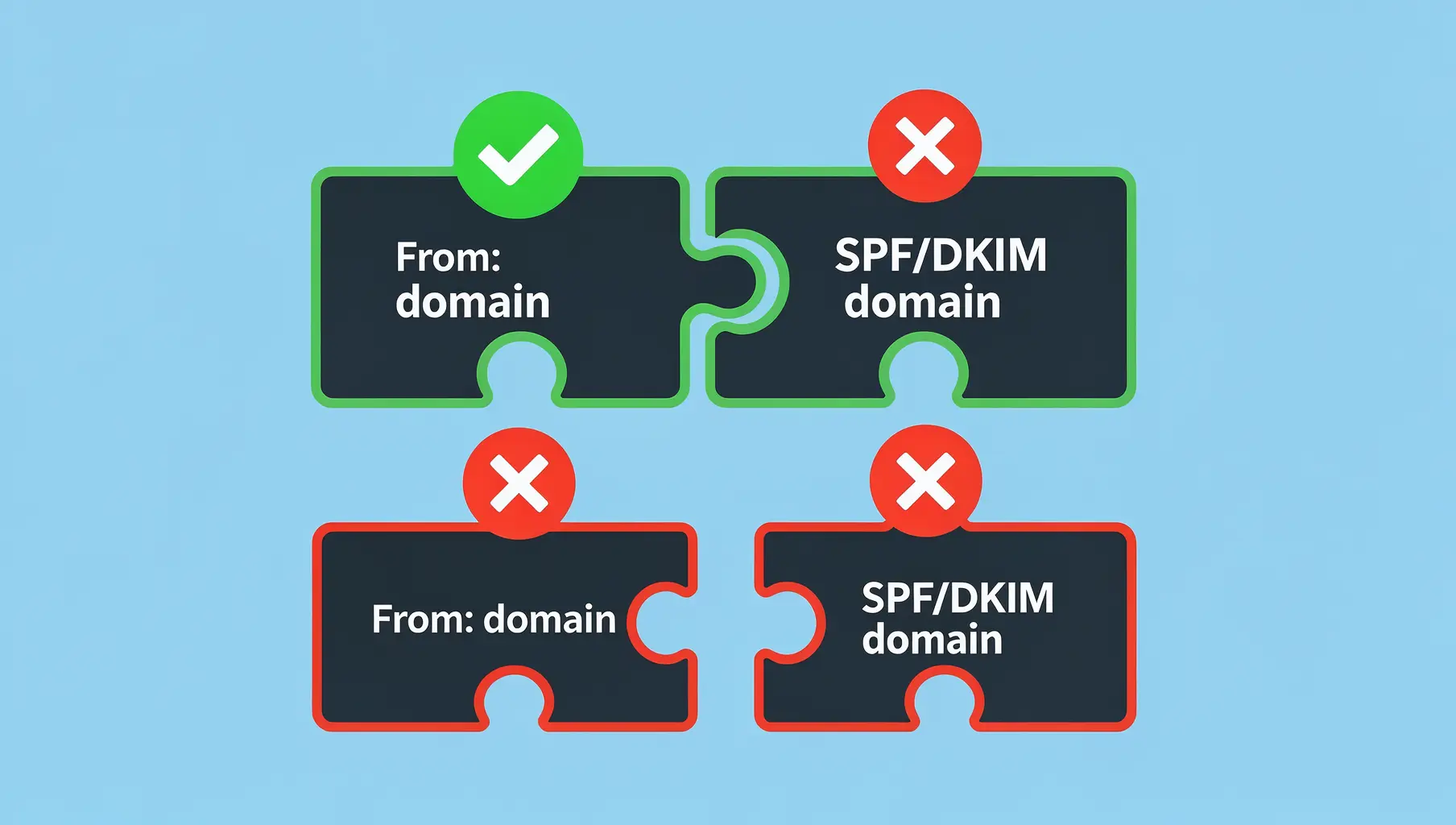
DMARC Alignment Explained Simply
DMARC alignment determines whether SPF and DKIM results count. Learn relaxed vs strict alignment and when each matters.
Ready to implement this?
Verkh helps you monitor DMARC, identify issues, and reach enforcement. Start free.
Start Free