Google and Yahoo Sender Requirements 2026: What You Actually Need
Google and Yahoo now require SPF, DKIM, and DMARC for bulk senders. Here's what the requirements actually mean, how enforcement works, and what to do about it.
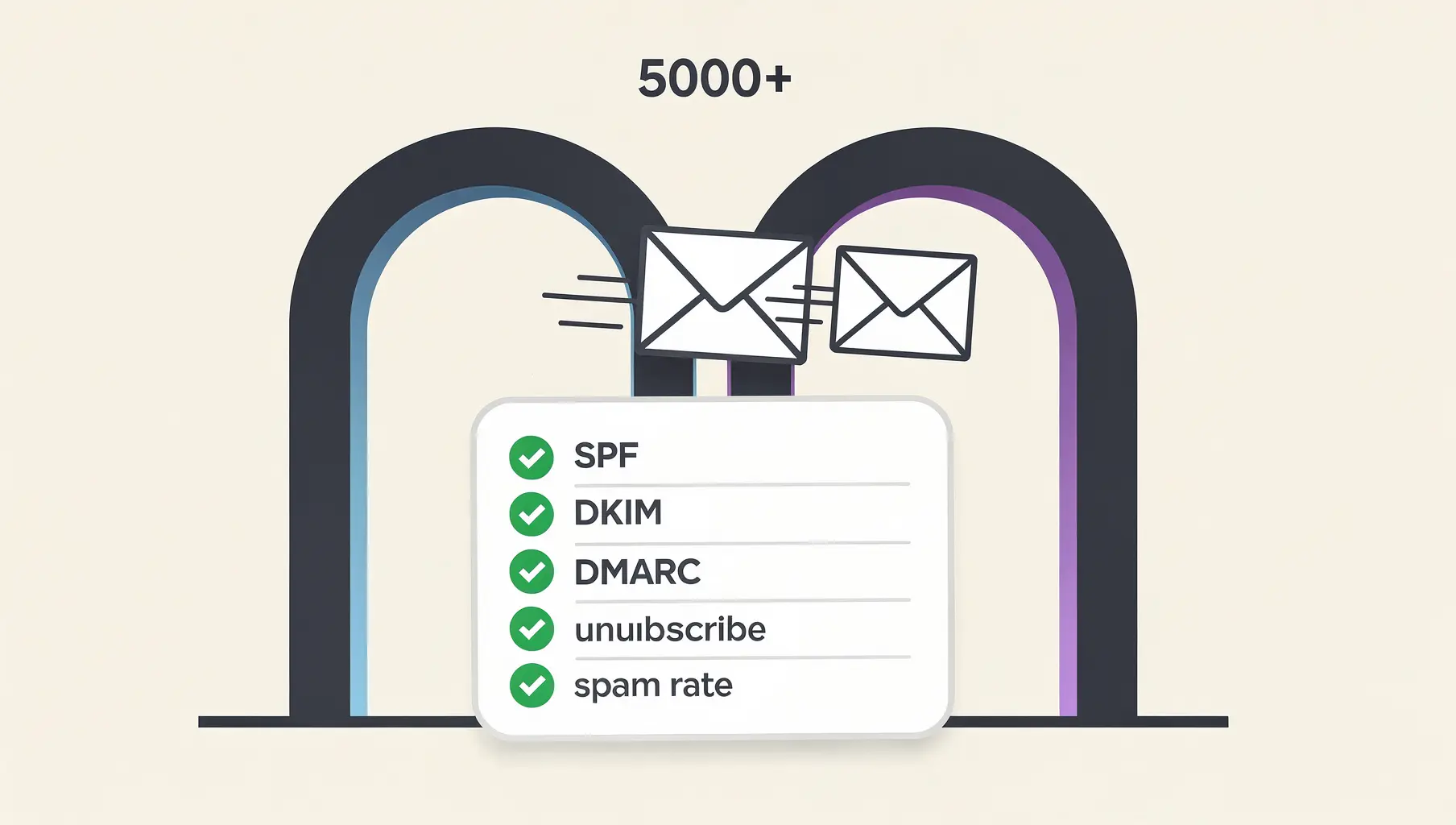
In February 2024, Google and Yahoo started enforcing new requirements for bulk email senders. The announcements got plenty of coverage. Lots of articles explained what SPF, DKIM, and DMARC are. Compliance checklists circulated. IT teams scrambled.
But a year later, something interesting happened: DMARC adoption doubled, and 87% of domains still remain unprotected.
That gap tells you something. People heard about the requirements. They didn’t fully understand what they meant. And many still haven’t done the work to actually comply.
So let’s cut through the noise and talk about what these requirements actually mean for your business.
The Requirements at a Glance
| Requirement | Yahoo | Microsoft | |
|---|---|---|---|
| SPF authentication | Required | Required | Required |
| DKIM authentication | Required | Required | Required |
| DMARC record | Required (p=none minimum) | Required | Required |
| DMARC alignment | Required | Required | Required |
| One-click unsubscribe | Required (marketing) | Required (marketing) | Required |
| Spam rate threshold | < 0.3% (target 0.1%) | < 0.3% | < 0.3% |
| Bulk sender threshold | 5,000/day to Gmail | 5,000/day | 5,000/day |
| Enforcement started | February 2024 | February 2024 | May 2025 |
These requirements apply permanently once you cross the bulk sender threshold. The rest of this guide explains what each requirement means in practice.
The permanent bulk sender classification
Here’s the detail most people missed: once you send 5,000 emails in a single day to Gmail addresses, you’re classified as a bulk sender forever.
Not “until your volume drops.” Forever.
That means the stricter requirements apply to you permanently, even if last month’s 5,000-email campaign was a one-time thing. Even if your normal volume is 500 emails a day. The classification is a one-way door.
And the count includes everything sent using your domain. Marketing campaigns, transactional emails, support notifications, and anything sent through third-party services on your behalf. If your CRM sends 2,000 emails and your marketing platform sends 3,000, congratulations. You’re a bulk sender.
Most companies underestimate their email volume because they’re not counting all the sources. Your actual number is probably higher than you think.
What “required” actually means
The requirements themselves aren’t complicated. SPF, DKIM, and DMARC authentication. One-click unsubscribe for marketing emails. Spam complaint rates below 0.3%.
The interesting part is enforcement.
Google started gradually. In early 2024, non-compliant emails got temporary errors. By April, they were rejecting a percentage of non-compliant mail. The percentage keeps increasing. Microsoft joined in May 2025, rejecting non-compliant email outright with error code 550 5.7.515.
This isn’t a warning system. It’s a filter. If your authentication isn’t right, your emails don’t arrive.
For marketing teams, this shows up as declining open rates and increasing bounces. For support teams, it’s customers saying they never got the ticket confirmation. For sales teams, it’s prospects who don’t respond because the email landed in spam or got rejected entirely.
The frustrating part is that these problems don’t announce themselves clearly. You don’t get a notification saying “your authentication is broken.” You just see metrics declining and wonder why.
The alignment requirement nobody understood
The most misunderstood part of the requirements is DMARC alignment. Lots of companies have SPF and DKIM configured. Their DMARC record exists. But their emails still fail because nothing aligns.
Here’s what alignment means: the domain in your From header has to match the domain verified by SPF or DKIM. Not just pass. Match.
When you send through an ESP like SendGrid or Mailchimp, they handle the actual sending. By default, their servers authenticate the email using their own domain. SPF passes for sendgrid.net. DKIM signs with mailchimp.com. But your From address says [email protected].
SPF passes. DKIM passes. DMARC fails. Because nothing aligns with your actual domain.
The fix is custom authentication. Most ESPs support this. You add some DNS records. They sign emails with your domain instead of theirs. But you have to set it up. It’s not automatic.
This is where a lot of companies are stuck. They technically have all three protocols configured. But because the alignment isn’t there, they’re failing DMARC checks they thought they were passing.
The only way to know for sure is to look at your DMARC reports or check the authentication results in email headers. Most companies haven’t done either.
The spam rate trap
The spam complaint threshold is 0.3%. Go above that, and you’ll see deliverability problems. The target is 0.1%.
That sounds manageable until you do the math.
At 0.3%, you can have 3 spam complaints per 1,000 emails delivered. If you’re sending 100,000 emails, that’s 300 complaints before you’re in trouble. Seems like a lot.
But spam complaints aren’t evenly distributed. A single campaign with a bad list or irrelevant content can spike your rate for the day. One email that goes viral for the wrong reasons can tank your reputation. And once you’re flagged, recovery takes time.
The thing is, spam complaints aren’t just about spam. People hit “report spam” when they forgot they subscribed. When they can’t find the unsubscribe link. When they’re annoyed and hitting spam is easier than scrolling. Your spam rate reflects subscriber experience as much as email content.
Companies with good list hygiene and clear unsubscribe options rarely have problems. Companies that buy lists, send to inactive subscribers, or make unsubscribing difficult hit the threshold constantly and wonder why their deliverability is declining.
How Yahoo’s Requirements Differ from Google’s
The short answer: they don’t, meaningfully.
Yahoo adopted the same core requirements as Google on the same timeline. SPF, DKIM, DMARC with alignment, one-click unsubscribe, spam rate under 0.3%. The 5,000 email threshold applies the same way.
The practical difference is in how failures surface. Google provides Postmaster Tools with detailed deliverability data. Yahoo’s feedback is less granular. You’ll see bounces and declining engagement, but less visibility into why.
Yahoo also participates in DMARC aggregate reporting, so if you have rua configured in your DMARC record, you’ll receive reports from Yahoo showing authentication results. These reports are your primary visibility into Yahoo deliverability issues. See our guide to understanding DMARC reports to make sense of this data.
If you’re compliant with Google’s requirements, you’re compliant with Yahoo’s. Fix it once, fix it everywhere.
What Microsoft’s entry means
Microsoft joining in May 2025 changed the calculation for a lot of businesses.
Gmail and Yahoo dominate consumer email. If you’re B2C, you were already feeling the pressure. But many B2B companies thought they could ignore the requirements because their customers use corporate email.
Microsoft’s requirements apply to Outlook.com, Hotmail.com, and Live.com, which are consumer addresses. But they’re a signal of where things are heading. Corporate Microsoft 365 addresses aren’t covered yet. The word “yet” is doing a lot of work in that sentence.
The direction is clear: authentication is becoming table stakes. The providers who handle most of the world’s email have decided that unauthenticated email is a problem they’re going to solve by rejecting it. If you’re not authenticated today, you will be tomorrow or you won’t be delivering email.
The enforcement opportunity
Here’s the part that doesn’t get talked about enough: this is actually good news.
For years, email authentication was optional. Nice to have. Something security-conscious companies did while everyone else ignored it. Attackers could spoof any domain because most domains weren’t protected.
The bulk sender requirements changed that. Suddenly, companies that were never going to prioritize email security have to. Marketing teams care because deliverability is affected. Finance cares because the CEO is asking why emails aren’t landing. Authentication went from “IT project” to “business priority.”
Google reported that Gmail users saw 265 billion fewer unauthenticated emails in 2024 alone. That’s 65% less. During the 2024 holiday season, typically peak phishing time, users encountered 35% fewer scams. The requirements are working.
The companies that moved early aren’t just compliant. They’re benefiting from a cleaner email ecosystem. Their authenticated emails stand out in a world where unauthenticated email is increasingly rare and suspicious.
What to do about it
If you’re reading this and wondering about your own compliance, here’s the checklist:
Check your sending volume. Count all sources: marketing, transactional, support, CRM, everything. If you’ve ever hit 5,000 to Gmail in a day, you’re a bulk sender. See our guide on what counts as a bulk sender for details on how the threshold works.
Verify alignment, not just authentication. Having SPF and DKIM configured isn’t enough. They need to align with your From domain. Send a test email to Gmail, open it, click “Show original,” and look at the Authentication-Results header. You want to see dmarc=pass with alignment.
Set up monitoring. If you don’t have a DMARC record with reporting enabled, you’re flying blind. Add one and start collecting data about who’s sending as your domain and whether they’re authenticating correctly.
Audit your ESPs. For every service that sends email as your domain, check whether custom authentication is configured. Most ESPs call this “domain authentication” or “custom DKIM.” If it’s not enabled, your emails from that service are probably failing alignment. See our guides for SendGrid, Mailchimp, and HubSpot for specific setup steps.
Monitor your spam rate. Google Postmaster Tools is free. It tells you exactly where you stand. If you’re above 0.1%, start investigating.
The requirements aren’t optional anymore. The providers who handle your recipients’ email have decided what compliance looks like. You can meet their standards or you can watch your deliverability decline. Those are the options.
Get compliant without the guesswork
Verkh shows you exactly where your authentication stands and what needs to fix. See every sending source, track alignment issues, and know when you’re ready for DMARC enforcement.
Related Articles

January 2026
How to Ensure Your Emails Are Authenticated and Reach the Inbox
A practical guide to setting up SPF, DKIM, and DMARC so your emails actually get delivered. No fluff, just the steps that matter.
January 2026
5 Key Benefits of Adopting an Email Authentication Platform Today
Why SPF, DKIM, and DMARC matter for security, deliverability, and brand protection. A practical guide for businesses of all sizes.
December 2025
What Counts as a Bulk Sender? The 5,000 Email Rule
Google and Yahoo require DMARC for bulk senders. Learn what counts toward the 5,000 threshold and what happens if you exceed it.
Ready to implement this?
Verkh helps you monitor DMARC, identify issues, and reach enforcement. Start free.
Start Free