What Is BIMI? Brand Logos in Email Explained
BIMI displays your brand logo next to emails in supporting inboxes. Learn the requirements and whether it's worth it.
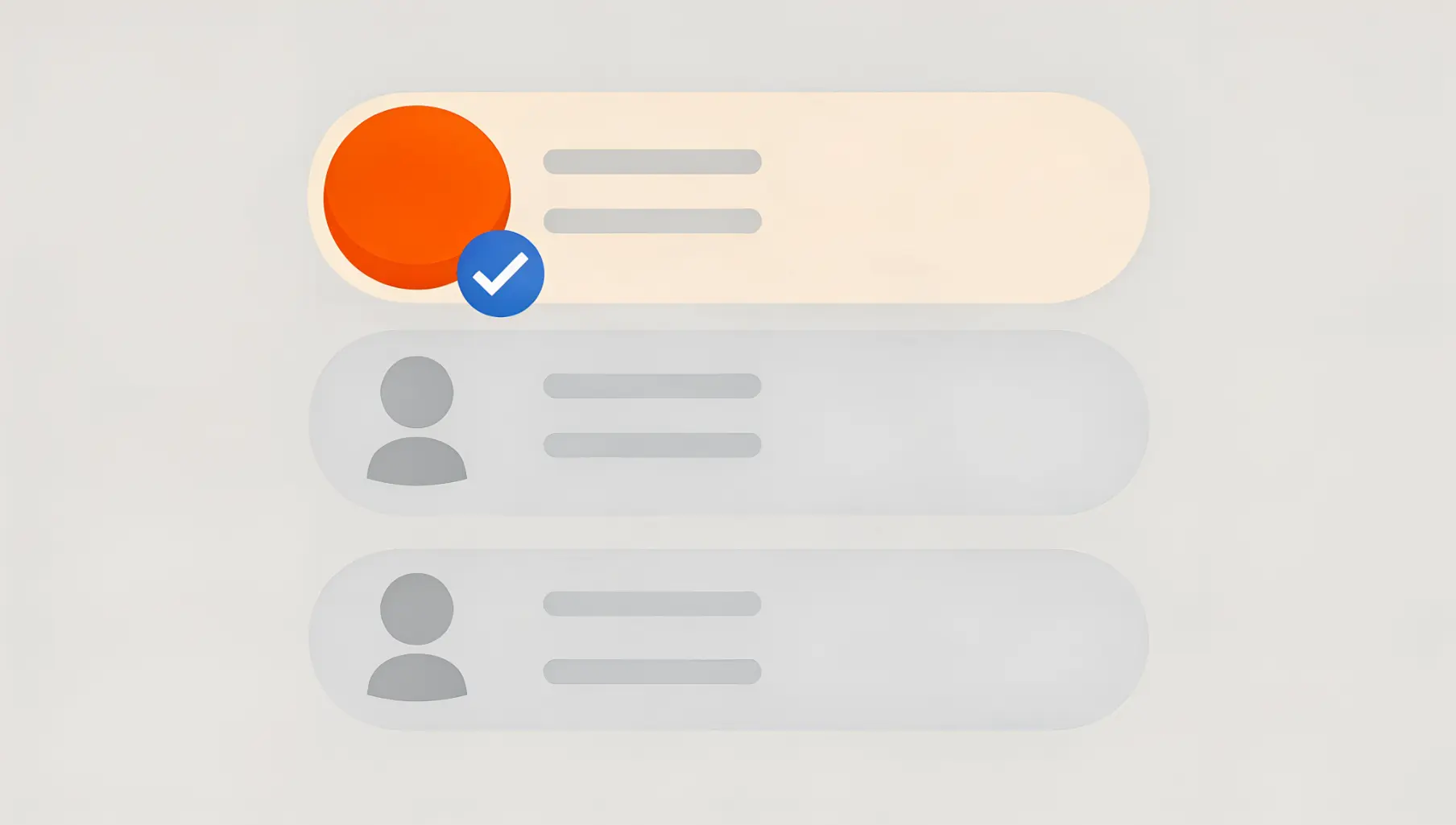
BIMI (Brand Indicators for Message Identification) displays your brand logo next to your emails in recipient inboxes. It’s a visual trust indicator that shows recipients your email is authenticated and legitimately from your brand. But it requires DMARC enforcement and typically a verified certificate.
Think of BIMI as the visual reward for getting email authentication right.
How BIMI Works
When someone receives your email in a BIMI-supporting inbox:
- Their email provider checks your DMARC record
- If DMARC passes with enforcement (quarantine or reject), they look for your BIMI record
- Your BIMI record points to your logo
- The logo displays next to your email
Without DMARC enforcement, BIMI doesn’t work. It’s built on top of email authentication, not separate from it.
What Recipients See
In supporting email clients, instead of a generic avatar or initial:
Without BIMI: Gray circle with “A” for Acme Corp
With BIMI: Your actual logo in full color
This appears in:
- Inbox message list
- Email headers when opened
- Mobile email apps
The visual impact is significant—your brand stands out among generic senders.
BIMI Requirements
Requirement 1: DMARC at Enforcement
Your DMARC policy must be:
p=quarantineorp=reject- Applied to 100% of messages (
pct=100or not specified)
p=none doesn’t qualify. You must be enforcing, not just monitoring.
Requirement 2: BIMI DNS Record
Add a TXT record at default._bimi.yourdomain.com:
default._bimi.yourdomain.com TXT "v=BIMI1; l=https://example.com/logo.svg; a=https://example.com/certificate.pem"l=points to your logo (SVG format, specific requirements)a=points to your Verified Mark Certificate (optional for some providers)
Requirement 3: Proper Logo Format
BIMI logos must be:
- SVG Tiny Portable/Secure (SVG P/S) format
- Square aspect ratio
- Centered design (will display in a circle)
- Hosted on HTTPS
- Under 32KB
Regular SVGs don’t work—you need the specific BIMI-compliant format.
Requirement 4: Verified Mark Certificate (Usually)
For Gmail and most major providers:
- You need a Verified Mark Certificate (VMC)
- VMCs cost $1,000-1,500/year
- Your logo must be a registered trademark
- Certificate issuers verify your trademark ownership
Some providers (like Yahoo/AOL) support BIMI without VMC, but Gmail requires it.
The Cost Reality
| Item | Cost |
|---|---|
| DMARC enforcement | Free (but requires work) |
| BIMI DNS record | Free |
| SVG logo conversion | One-time ($100-500 if outsourced) |
| Trademark registration | $225-400+ (if not already trademarked) |
| Verified Mark Certificate | $1,000-1,500/year |
| Year 1 Total | $1,500-2,500+ |
| Ongoing Annual | $1,000-1,500 |
This makes BIMI primarily accessible to established brands with existing trademarks and marketing budgets.
Provider Support
| Provider | BIMI Support | VMC Required |
|---|---|---|
| Gmail | Yes | Yes |
| Yahoo/AOL | Yes | No |
| Apple Mail | Yes | Yes |
| Outlook | Coming | TBD |
| Others | Varies | Varies |
Gmail’s VMC requirement is the significant barrier for most organizations.
Is BIMI Worth It?
BIMI Makes Sense If:
- You’re a consumer-facing brand
- Visual brand recognition matters
- You have high email volume to consumers
- You’ve already achieved DMARC enforcement
- You have budget for ongoing VMC costs
- Your logo is already trademarked
BIMI Can Wait If:
- You’re B2B (business contacts less influenced by logos)
- You’re still working on DMARC enforcement
- Budget is constrained
- Your logo isn’t trademarked
- Email isn’t a primary customer channel
BIMI Doesn’t Make Sense If:
- You’re at
p=none(it won’t work anyway) - You’re a small business with tight budgets
- Your recipients use Outlook primarily (limited support)
Implementation Steps
Step 1: Achieve DMARC Enforcement
Get to p=quarantine or p=reject with stable pass rates. Don’t attempt BIMI before this. See our DMARC policy guide for help reaching enforcement.
Step 2: Prepare Your Logo
Convert your logo to BIMI-compliant SVG P/S format:
- Start with a high-quality source
- Use BIMI logo generators or hire a designer
- Validate with BIMI verification tools
Step 3: Trademark Verification (If Needed)
For VMC, you need a registered trademark. If your logo isn’t trademarked:
- This process takes 8-12 months
- Costs $225-400+ for filing
- Must be completed before VMC issuance
Step 4: Obtain VMC
Work with a VMC issuer (DigiCert and Entrust are primary issuers):
- Provide trademark documentation
- Complete validation process
- Receive certificate file
Step 5: Publish DNS Record
default._bimi.yourdomain.com TXT "v=BIMI1; l=https://yourdomain.com/logo.svg; a=https://yourdomain.com/vmc.pem"Step 6: Verify and Monitor
Use BIMI verification tools to confirm setup. Monitor for logo display in test emails.
BIMI Without VMC
If VMC cost is prohibitive:
- Yahoo/AOL support: Works without VMC
- Future-proofing: Set up the DNS record and logo, add VMC later
- Self-asserted logos: Some providers may show logos without VMC (less common)
You can implement partial BIMI for non-Gmail recipients while deciding on VMC investment.
Common Questions
”Can I do BIMI before DMARC enforcement?”
No. DMARC enforcement is a hard requirement. BIMI explicitly checks for p=quarantine or p=reject.
”My logo is trademarked—am I ready?”
You still need:
- DMARC at enforcement
- Logo in correct SVG format
- VMC from authorized issuer
- BIMI DNS record
”How long until my logo appears?”
After setup:
- DNS propagation: Hours
- Provider pickup: Days to weeks
- Full rollout: Can take several weeks
”What if my logo doesn’t display?”
Check:
- Is DMARC passing with enforcement?
- Is the BIMI record correct?
- Is the SVG in proper format?
- Is the VMC valid?
- Does the recipient’s provider support BIMI?
Priority Order
If you’re starting from scratch:
- SPF — Foundation
- DKIM — Strong authentication
- DMARC — Policy and monitoring
- Enforcement — Get to
p=reject - BIMI — Visual reward (optional)
BIMI is the cherry on top, not the foundation. Don’t skip steps to get there faster.
The Bottom Line
- BIMI displays your logo next to emails—a branding win
- Requires DMARC at enforcement (quarantine or reject)
- Gmail requires Verified Mark Certificate (~$1,000-1,500/year)
- Best suited for consumer-facing brands with budget
- Focus on DMARC enforcement first, BIMI second
For more on reaching enforcement, see DMARC Policy Comparison.
Verkh helps you reach DMARC enforcement, the prerequisite for BIMI. Start your path at verkh.io.
Related Articles
January 2026
Why You Need DMARC Enforcement Before BIMI Will Work
BIMI requires DMARC at p=quarantine or p=reject. Learn why and how to reach enforcement to display your logo in email.
December 2025
DMARC Alignment Explained Simply
DMARC alignment determines whether SPF and DKIM results count. Learn relaxed vs strict alignment and when each matters.
December 2025
Third-Party Senders and DMARC: The Complete Guide
ESPs, CRMs, and marketing platforms send as your domain. Learn how to configure DMARC for third-party senders properly.
Ready to implement this?
Verkh helps you monitor DMARC, identify issues, and reach enforcement. Start free.
Start Free